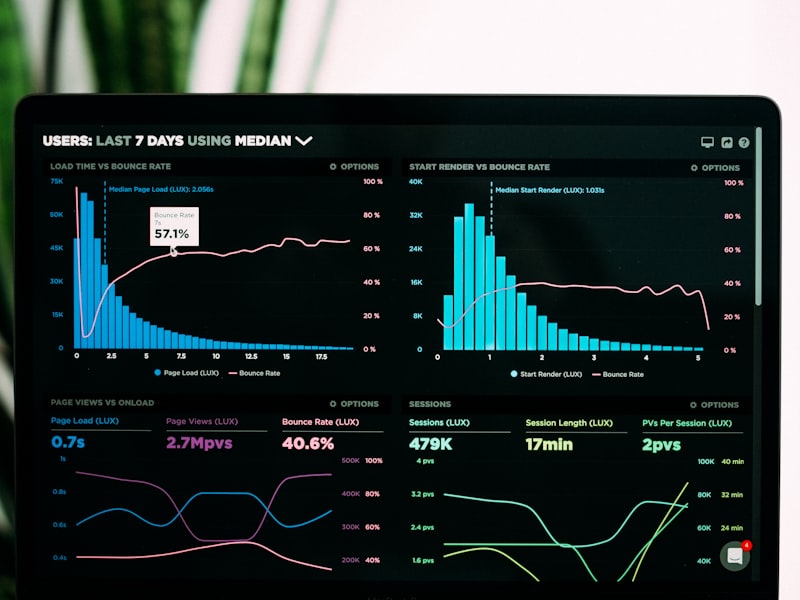
Website speed is crucial for user experience, search engine rankings, and conversion rates. Images often account for 60-70% of a webpage's total size, making image compression one of the most effective ways to improve loading times. This comprehensive guide will teach you how to compress images effectively while maintaining the visual quality your users expect.
In this guide, we'll explore different compression techniques, tools, and strategies that will help you achieve the perfect balance between image quality and file size for optimal web performance.
Why Image Compression Matters for Website Performance
Image compression directly impacts every aspect of your website's performance and user experience. Understanding these connections helps prioritize optimization efforts and justify the time invested in proper image handling.
Performance Impact
Large, uncompressed images create cascading performance problems that affect user experience, SEO rankings, and business metrics across all devices and connection speeds.
The Performance Impact
Large, uncompressed images create cascading performance problems:
- Increased bandwidth usage and hosting costs
- Slower page load times leading to higher bounce rates
- Poor mobile experience on slower connections
- Reduced server capacity due to larger file transfers
- Negative impact on Core Web Vitals metrics
SEO and Business Implications
Google considers page speed as a ranking factor, making image optimization essential for SEO success. Studies show that:
- 1-second delay in page load time can reduce conversions by 7%
- 53% of mobile users abandon sites that take longer than 3 seconds to load
- Faster sites rank higher in search results
- Improved user experience leads to better engagement metrics
Understanding Image Compression Types
Different compression methods serve different purposes. Understanding when and how to use each type ensures optimal results for your specific use cases.
Lossless Compression
Perfect QualityMethod: Removes redundant data without quality loss
Best for: Graphics, logos, text images
Formats: PNG, GIF, WebP (lossless mode)
File Size: Larger but maintains perfect quality
Lossy Compression
Smaller FilesMethod: Removes imperceptible image data
Best for: Photographs, complex images
Formats: JPEG, WebP, AVIF
File Size: Much smaller with minimal quality loss
Pro Tip: Choose Based on Content
Use lossless compression for graphics with sharp edges and text, and lossy compression for photographs and complex images with many colors and gradients.
Choosing the Right Image Format
Format selection significantly impacts compression effectiveness. Each format has optimal use cases based on image content and technical requirements.
Format Comparison
Photography Standard
Excellent for photos with adjustable quality settings. Universal support but no transparency.
Graphics & Transparency
Lossless compression with transparency support. Perfect for logos and graphics.
Modern Efficiency
25-35% smaller than JPEG with better quality. Supports both lossy and lossless modes.
Next-Generation
Up to 50% smaller than JPEG with superior quality. Growing browser support.
Format Selection Strategy
<picture>
  <source srcset="image.avif" type="image/avif">
  <source srcset="image.webp" type="image/webp">
  <img src="image.jpg" alt="Optimized image with fallbacks">
</picture>
Essential Compression Tools and Techniques
The right tools make image compression efficient and effective. Different tools serve different workflows, from automated batch processing to fine-tuned manual optimization.
Online Tools
TinyPNG, Squoosh, and Compressor.io offer convenient web-based compression with drag-and-drop simplicity.
Professional Software
Photoshop, GIMP, and Affinity Photo provide advanced control and batch processing capabilities.
Command-Line Tools
ImageMagick, mozjpeg, and cwebp enable automation and integration into build processes.
CDN Services
Cloudinary, ImageKit, and similar services provide automatic optimization and format delivery.
Automated Optimization Workflow
// Webpack configuration for automatic image optimization
module.exports = {
  module: {
    rules: [
      {
        test: /\.(png|jpe?g|gif|svg)$/i,
        use: [
          {
            loader: 'image-webpack-loader',
            options: {
              mozjpeg: { progressive: true, quality: 85 },
              optipng: { enabled: true },
              pngquant: { quality: [0.65, 0.90], speed: 4 },
              webp: { quality: 85 }
            }
          }
        ]
      }
    ]
  }
};
Compression Best Practices
Following proven best practices ensures optimal compression results while maintaining visual quality and user experience.
Quality Control Checklist
Common Mistakes to Avoid
Never compress an already compressed image multiple times. Always work from the original source to avoid cumulative quality loss and artifacts.
Measuring Compression Performance
Understanding how to measure the impact of image compression helps you make data-driven optimization decisions and demonstrate value to stakeholders.
Key Performance Indicators
Track these essential metrics to evaluate your compression strategy's effectiveness:
- Page Load Time: Measure total time from request to fully loaded page. Target under 3 seconds for optimal user experience.
- Largest Contentful Paint (LCP): Should occur within 2.5 seconds. Large images often cause LCP delays.
- Total Page Weight: Aim for under 1MB for mobile pages. Images typically account for 50-70% of page weight.
- Image Load Time: Individual images should load in under 1 second on 3G connections.
- Compression Ratio: Track file size reduction percentage while maintaining quality standards.
Testing Tools and Methods
Use these professional tools to measure compression effectiveness:
Google PageSpeed Insights
FreeProvides detailed performance scores and specific image optimization recommendations. Shows real-world performance data from Chrome users.
WebPageTest
FreeOffers detailed waterfall charts showing exactly when and how images load. Test from multiple locations and connection speeds.
Real-World Impact
Studies show that reducing page load time by 1 second can increase conversions by 7%, improve SEO rankings, and significantly reduce bounce rates. Image optimization is often the fastest way to achieve these improvements.
Automating Image Compression Workflows
Manual compression works for small projects, but automation becomes essential as your image library grows. Implementing automated workflows saves time and ensures consistency.
Build Process Integration
Integrate compression into your development workflow using build tools. Popular options include webpack image-loader, gulp-imagemin, or Next.js automatic image optimization. These tools compress images during the build process, ensuring all production images are optimized.
Content Management System Plugins
WordPress, Shopify, and other CMS platforms offer plugins that automatically compress uploaded images. Popular choices include ShortPixel, Imagify, and Smush. Configure these plugins once, and they'll handle all future uploads automatically.
CDN-Based Optimization
Modern CDNs like Cloudflare, Cloudinary, and Imgix offer automatic image optimization. They detect user devices and connection speeds, serving appropriately compressed versions. This approach requires minimal setup and handles optimization server-side.
Automation Best Practice
Set up a staging environment to test automated compression before deploying to production. This prevents unexpected quality issues and allows you to fine-tune compression settings for your specific needs.
Monitoring and Maintenance
Automated systems need regular monitoring. Set up alerts for images that exceed size thresholds, track compression ratios over time, and periodically audit your image library to identify optimization opportunities. Schedule quarterly reviews to ensure your compression strategy remains effective as technology evolves.
Conclusion
Image compression is a critical skill for anyone involved in web development or digital content creation. By understanding the principles of compression, choosing appropriate formats, and implementing efficient workflows, you can dramatically improve website performance while maintaining visual quality.
Start with the basics: choose the right format for each image type, use quality compression tools, and implement responsive image techniques. As you gain experience, explore advanced strategies like automated optimization pipelines and CDN integration to further enhance your site's performance.
Ready to Optimize Your Images?
Try our professional image compression tools to put these techniques into practice.