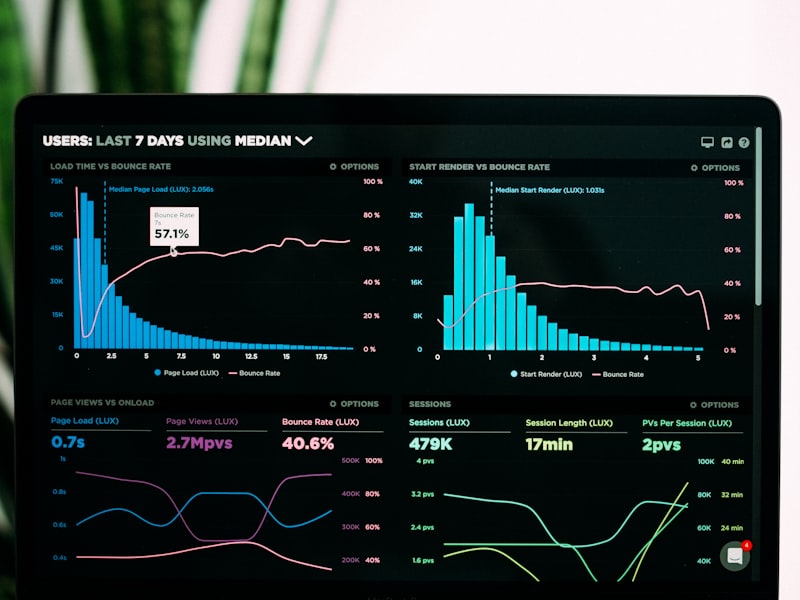
Image optimization is one of the most impactful ways to improve user experience on websites and applications. With images typically accounting for 60-70% of a webpage's total size, proper optimization can dramatically reduce loading times, improve engagement, and boost conversion rates. In today's fast-paced digital world, users expect instant gratification, and slow-loading images can lead to high bounce rates and lost opportunities.
This comprehensive guide will teach you professional image optimization techniques that balance visual quality with performance, ensuring your users enjoy fast, engaging experiences regardless of their device or connection speed.
Understanding Image Impact on User Experience
Images play a crucial role in user experience, affecting everything from first impressions to conversion rates. Understanding this impact helps prioritize optimization efforts effectively.
The Performance-UX Connection
Studies show that a 1-second delay in page load time can reduce conversions by 7%, page views by 11%, and customer satisfaction by 16%. Images are often the primary culprit behind slow loading times.
Key UX Metrics Affected by Images
- First Contentful Paint (FCP): Time until first image or text appears
- Largest Contentful Paint (LCP): Time until largest image loads
- Cumulative Layout Shift (CLS): Visual stability during loading
- Time to Interactive (TTI): When page becomes fully interactive
- Bounce Rate: Users leaving due to slow loading
User Behavior and Image Loading
Fast Loading (< 2s)
Excellent UXUser Behavior: High engagement, low bounce rate
Conversion Rate: Optimal performance
User Satisfaction: Very high
SEO Impact: Positive ranking boost
Moderate Loading (2-4s)
AcceptableUser Behavior: Some impatience, moderate engagement
Conversion Rate: Slight decrease
User Satisfaction: Moderate
SEO Impact: Neutral to slightly negative
Slow Loading (> 4s)
Poor UXUser Behavior: High abandonment, frustration
Conversion Rate: Significant drop
User Satisfaction: Very low
SEO Impact: Negative ranking impact
Technical Optimization Strategies
Technical optimization focuses on reducing file sizes and improving loading efficiency without compromising visual quality.
1. Format Selection and Compression
JPEG Optimization
Use progressive JPEG for better perceived performance. Optimize quality settings between 75-85% for web use.
WebP Implementation
Implement WebP with JPEG fallbacks for 25-35% smaller file sizes with equivalent quality.
SVG for Graphics
Use SVG for logos, icons, and simple graphics. They're scalable and often smaller than raster alternatives.
AVIF for Future
Consider AVIF for next-generation compression with up to 50% better efficiency than JPEG.
2. Responsive Image Implementation
<img src="image-800w.jpg"
     srcset="image-400w.jpg 400w,
             image-800w.jpg 800w,
             image-1200w.jpg 1200w"
     sizes="(max-width: 600px) 400px,
            (max-width: 1000px) 800px,
            1200px"
     alt="Responsive image example"
     loading="lazy">
3. Advanced Loading Techniques
- Lazy Loading: Load images only when they enter the viewport
- Progressive Loading: Show low-quality placeholder while high-quality loads
- Critical Image Preloading: Preload above-the-fold images
- Image Sprites: Combine small images to reduce HTTP requests
- Base64 Encoding: Inline very small images to eliminate requests
Performance Optimization Techniques
Beyond basic compression, advanced performance techniques can significantly improve user experience across different devices and network conditions.
Content Delivery Network (CDN) Implementation
Choose CDN Provider
Select a CDN with global presence and image optimization features like Cloudflare, AWS CloudFront, or Fastly.
Configure Caching
Set appropriate cache headers for images (typically 1 year for static images).
Enable Compression
Configure automatic image compression and format conversion at the CDN level.
Monitor Performance
Track loading times and optimization effectiveness across different regions.
Image Optimization Workflow
Source Preparation
Start with high-quality originals, crop to exact dimensions needed, and remove unnecessary metadata.
Compression Pipeline
Implement automated compression in your build process using tools like ImageOptim or Squoosh.
Multi-Device Testing
Test image loading across different devices, screen sizes, and network conditions.
Performance Monitoring
Use tools like Google PageSpeed Insights and WebPageTest to monitor and optimize continuously.
User Experience Best Practices
Technical optimization must be balanced with user experience considerations to create truly effective image implementations.
Visual Loading States
- Skeleton Screens: Show content structure while images load
- Blur-to-Sharp: Progressive enhancement from blurred to sharp
- Color Placeholders: Use dominant colors as loading backgrounds
- Loading Animations: Subtle animations to indicate progress
- Graceful Degradation: Fallbacks for failed image loads
Accessibility Considerations
Mobile-First Optimization
| Aspect | Mobile Considerations | Desktop Considerations |
|---|---|---|
| File Size | Prioritize smaller files | Can handle larger files |
| Resolution | Optimize for device pixel ratio | Higher resolution acceptable |
| Loading Strategy | Aggressive lazy loading | Preload critical images |
| Interaction | Touch-friendly sizing | Hover states and effects |
Advanced Optimization Techniques
For high-traffic websites and applications, advanced techniques can provide additional performance gains and improved user experiences.
Adaptive Image Delivery
// Enable client hints in HTML head
<meta http-equiv="Accept-CH" content="DPR, Width, Viewport-Width">

// Server-side adaptive delivery
if (clientHints.dpr > 2) {
    // Serve high-DPI images for retina displays
    imageUrl = '[email protected]';
} else if (clientHints.width < 600) {
    // Serve smaller images for mobile
    imageUrl = 'image-mobile.jpg';
}
Machine Learning Optimization
- Perceptual Quality: AI-driven compression based on human perception
- Content-Aware Optimization: Different settings for faces, text, landscapes
- Predictive Loading: ML algorithms predict which images users will view
- Dynamic Quality Adjustment: Real-time optimization based on network conditions
Performance Monitoring and Analytics
Core Web Vitals
Monitor LCP, FID, and CLS metrics specifically related to image loading and optimization.
Real User Monitoring
Track actual user experience data to identify optimization opportunities and measure improvements.
A/B Testing
Test different optimization strategies to find the best balance of quality and performance for your audience.
Performance Alerts
Set up automated alerts for performance regressions and optimization opportunities.
Tools and Automation
Leveraging the right tools and automation can streamline your image optimization workflow and ensure consistent results.
Optimization Tools Comparison
Online Tools
Free/FreemiumExamples: TinyPNG, Squoosh, ImageOptim Online
✅ Pros
- No installation required
- Easy to use interface
- Good for occasional use
- Often free for basic features
❌ Cons
- Limited batch processing
- File size restrictions
- No automation capabilities
- Privacy concerns
Build Tools
AutomatedExamples: Webpack, Gulp, Next.js Image Optimization
✅ Pros
- Automated optimization
- Integrated with development workflow
- Consistent results
- Customizable settings
❌ Cons
- Requires technical setup
- Build time overhead
- Learning curve
- May need configuration tuning
Pro Tip: Automation Strategy
Implement automated optimization in your CI/CD pipeline to ensure all images are optimized before deployment. This prevents performance regressions and maintains consistent quality.
Measuring Optimization Success
Effective measurement helps you understand the impact of your optimization efforts and identify areas for further improvement.
Key Performance Indicators
- Page Load Time: Overall time to fully load page content
- First Contentful Paint: Time to first visible content
- Largest Contentful Paint: Time to largest image/content block
- Image Load Time: Average time for images to load
- Bounce Rate: Users leaving due to slow loading
- Conversion Rate: Impact on business goals
Testing and Validation
Common Optimization Pitfalls
Avoid over-optimization that sacrifices visual quality, neglecting mobile users, or implementing complex solutions without measuring their actual impact on user experience.
Conclusion
Image optimization for better user experience requires a holistic approach that balances technical performance with visual quality and accessibility. By implementing the strategies outlined in this guide, you can significantly improve loading times, user engagement, and overall satisfaction.
Remember that optimization is an ongoing process. Regularly monitor performance metrics, test new techniques, and adapt your strategy based on user feedback and changing technology landscape. The investment in proper image optimization pays dividends in improved user experience and business outcomes.
Start Optimizing Your Images Today
Use our professional image optimization tools to improve your website's performance and user experience.